
🚀 Systeme.io Funnels Guide for Beginners
Build Funnels Fast — Even If You’re New to Online Marketing
Funnels are the backbone of every successful online business. Whether you’re launching a coaching program, selling a digital product, or simply growing your email list… you need a funnel.
If you’re a beginner using myclickvault.com to learn digital tools, this guide will walk you step-by-step through creating your first funnel using Systeme.io — a free, beginner-friendly platform.
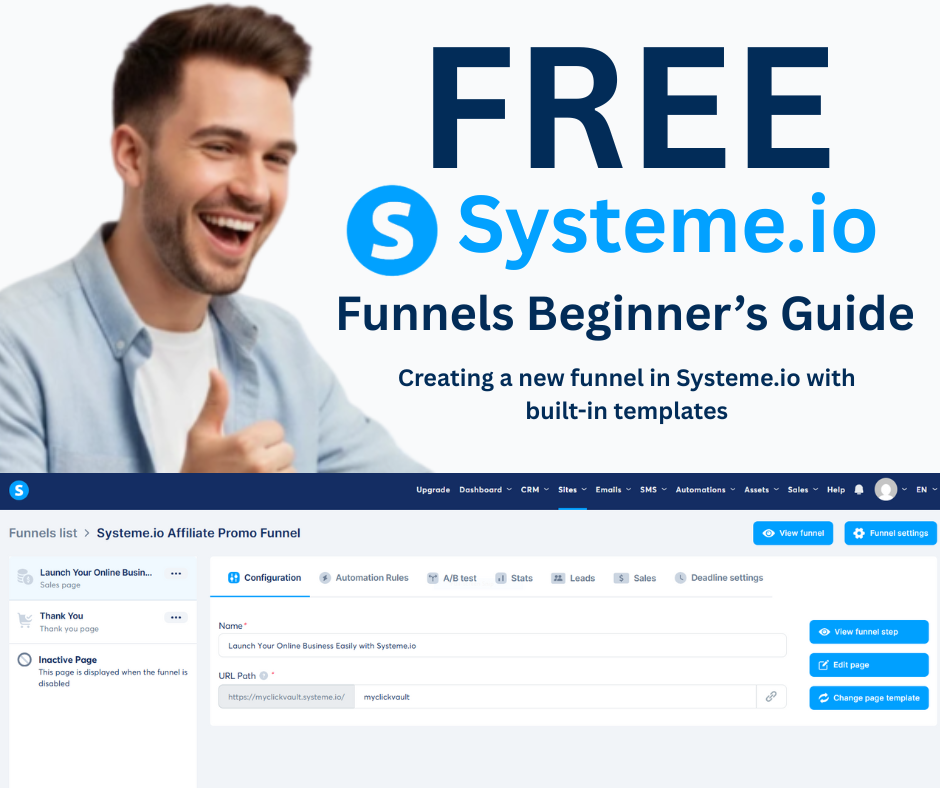
✅ What Is a Funnel & Why Do You Need One?
A sales funnel is a simple path that guides your website visitors from:
Curious → Lead → Customer
Instead of letting visitors leave your website without taking action, a funnel captures their email and leads them toward a purchase.
Funnels help you:
-
Grow an email list automatically
-
Sell while you sleep
-
Increase conversions
-
Keep your marketing organized
-
Follow up with leads without doing extra work
Even a simple 2-step funnel can start your online business.
✅ Why Choose Systeme.io?
Systeme.io is the #1 beginner-friendly funnel builder because:
✔ Free plan available
✔ Drag-and-drop editor
✔ Unlimited email sending
✔ Templates included
✔ Email automation built-in
✔ No tech skills required
It replaces expensive tools like:
-
ClickFunnels
-
Mailchimp
-
Leadpages
All-in-one and easy. Perfect for beginners.
🎯 Sign up for Systeme.io and explore the drag-and-drop funnel editor now!
✅ Step 1 — Create Your First Funnel
Log into your Systeme.io account and go to:
Dashboard → Funnels → Create
You’ll see a popup asking for:
-
Funnel Name (example: My First Funnel)
-
Domain (Systeme.io free domain to start)
-
Funnel Goal:
✅ Build an Audience
✅ Sell
✅ Custom
✅ Webinar
👉 For beginners, select Build an Audience (email list growth)
📌 Image Placeholder #1: Systeme.io “Create Funnel” Popup
Click Save ✅
Your funnel structure is now created!
✅ Step 2 — Set Up Your Pages
Inside your funnel, you’ll see 2 pages:
1️⃣ Opt-in Page
2️⃣ Thank-You Page
Click Edit Page on the Opt-in Step.
Now:
-
Replace the headline with a strong offer
-
Add a clear benefit (what they will get?)
-
Keep design simple
-
Add email form
-
Change CTA button text:
✅ “Get Free Access”
✅ “Send It to Me!”
Tips to increase sign-ups:
✅ Add a lead magnet (free ebook, checklist, template)
✅ Use 1 strong CTA button
✅ Remove distractions
📌 Image Placeholder #2: Editing the Opt-in Page
Once done → Save Changes ✅
Then edit the Thank-You Page:
-
Congratulate them
-
Tell them to check email inbox
-
Deliver the promised freebie (download link or next step)
✅ Simple & professional!
✅ Step 3 — Add Email Automation
Funnels are nothing without follow-up!
Now we connect your opt-in form to an email sequence.
Go to:
Emails → Campaigns → Create
Name it:
👉 “Welcome Series”
Create 2–3 emails:
✉️ Email #1 — Welcome + Download
✉️ Email #2 — About You + Value
✉️ Email #3 — Soft Pitch (your product/service)
Now link it:
Automation Rule → Funnel Form Submitted → Subscribe to Campaign
🔥 Work once → Make money long-term!
📧 Automate your emails now — connect your funnel to your welcome series!
✅ Step 4 — Add a Pop-Up (Optional but Powerful!)
Pop-ups grab attention and increase leads by 30–50%.
To add:
→ Go inside your funnel
→ Click Add Step
→ Select Popup Form
Choose any template → Edit Page
-
Add headline: “Wait! Don’t Leave!”
-
Offer a bonus freebie
-
Add name + email fields
-
Set trigger:
✅ On exit
✅ Time delay
✅ Scroll percentage
📌 Image Placeholder #3: Systeme.io Pop-Up Builder
Done! ✅
Your site now collects leads even if visitors ignore the main form.
✅ Step 5 — Test & Publish
Before sharing your funnel:
✔ Submit the form yourself
✔ Check email automation working
✔ Confirm thank-you page working
✔ Fix grammar or design issues
Now share your funnel link on:
-
Instagram Reels
-
Facebook Groups
-
YouTube Shorts
-
TikTok
-
WhatsApp
The more views → the more leads → the more sales 💰
🌟 Publish your funnel today and start generating leads immediately!
💡 Pro Tips for Beginners
✅ Keep pages short & clear
✅ Focus on 1 offer per page
✅ Use urgency (limited-time bonuses)
✅ Track conversions inside dashboard
✅ Improve and optimize weekly
A funnel is never “finished” — you keep improving as you grow!
💪 Follow these tips and optimize your funnel for maximum results!
✅ Final Words: Your First Funnel Is Live 🎉
You just learned how to:
✔ Create a Systeme.io funnel
✔ Build opt-in + thank-you pages
✔ Automate emails
✔ Add a lead-capture pop-up
With Systeme.io + MyClickVault, you have everything needed to start your online business the smart way.
🚀 Create your first funnel now and start capturing leads today!